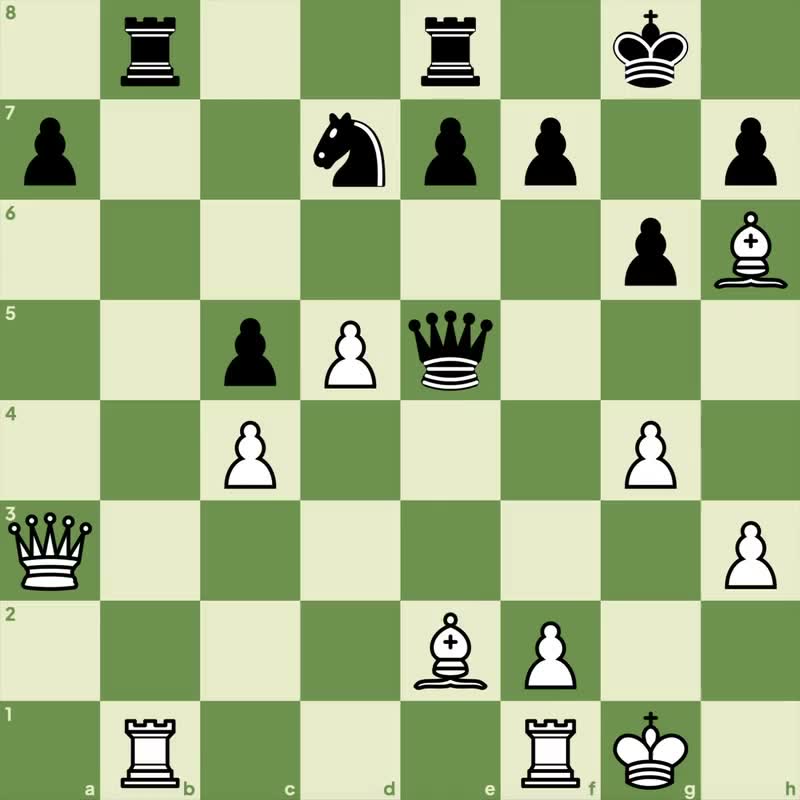
Calculationtraining.com Alternatives for Chess Calculation

Calculationtraining.com alternatives are worth knowing about if you like what Calculation Training asks of you, which is to write out the whole line before anything gets checked, but you want more than one position a day, a different way of solving, or something that stays free after its open beta ends. To be fair to it, it does one thing very well, and right now all of it is free. Below I go through how it works, why you might still want something else, and five alternatives, plus books. I'm a chess coach, and Peekchess, which grew out of work I was already doing by hand with my students, is one of the five.
Everything about Calculation Training comes from its own site, checked on 20 November 2026. The facts and prices for the others come from their own pages, checked in October and November 2026. Prices change, and Calculation Training's are launch prices that nobody is paying yet.
Calculationtraining.com alternatives, and what Calculation Training does for calculation
Calculation Training lives at calculationtraining.com and is made by Say Chess, the site of chess author Martin B. Justesen. It describes itself as chess calculation for tournament players, and the idea behind it fits in one line from its home page, "Guessing is not calculation."
A new position goes up every day at 6 a.m. Berlin time, which is midnight in New York, and everyone gets the same one. The week has a shape to it. Monday is a warm-up, midweek is club standard, Saturday is the hardest, and Sunday eases off again. The positions come from recent tournament games in The Week in Chess, most of them only weeks old. One only goes into the bank when a single move really matters and a model of human play says instinct alone won't find it, so a lot of the key moves are quiet ones. There are 3,142 verified positions so far.
The solving is the interesting part. The board never moves. You write the whole line, both sides' moves, by playing them on the board, but the pieces stay where they are, so the moves go into your analysis and not onto the diagram. If there was a defense you were worried about, you add it in brackets with your answer to it. Then you commit, before you get any feedback at all, and Stockfish checks the line. The card scores it in points, harder positions are worth more, and answering real defenses earns extra. You see exactly where your calculation broke, and every card shows the score your rating predicts, so you know how you did against your own level.
Two smaller things are worth knowing. Notes you write before you commit are sealed, so nobody can edit them afterwards, not even you. And because everyone solves the same position, you can publish your line and read how other people calculated it.
Right now everything is free, every position and the whole archive, while it's in open beta. At launch, today's position stays free, and you don't need an account to solve it. A free account adds the rest of the week's positions, your rating and the analysis room. The archive becomes the subscription, at $36 a year or $4 a month, with every past position, positions chosen for your rating, the full training diary and a quiz on what you missed. It's a website, and I couldn't find an App Store or Google Play app for it.
Why you might want a Calculationtraining.com alternative for calculation
None of these are complaints about the site. They're just the places where it might not fit what you need.
- Volume. One position a day is the whole design. If you want to work through several positions in a sitting, you'll need something beside it.
- Level. The positions come from master games, and the site is built for tournament players. The week does open with warm-ups, but if you're earlier on, you may want shorter lines first.
- Price after the beta. Today's position stays free, but the archive will cost $36 a year or $4 a month once it launches.
- Feedback as you go. Some players learn better when each move is checked as they play it, rather than waiting for a verdict on the whole line.
Calculationtraining.com alternatives at a glance, for calculation
| App | Best for | Free | Paid | How you calculate |
|---|---|---|---|---|
| Calculation Training | One position a day, written out in full | Everything during the open beta | Archive $36 a year or $4 a month at launch | Write the whole line, then commit |
| Peekchess | The main line on a still board | 10 rated puzzles a day, unlimited visualization drills | $7.99 a month or $59.99 once for life | The board stays still, each move drawn as an arrow |
| ChessTempo | Rated tactics by theme | Unlimited tactics a day | Gold from $4 a month | The board plays each reply |
| Listudy | Free blind tactics | Everything, open source | No paid plan listed | The board from a few plies back |
| Lichess | Free puzzles with no limits | Everything | Nothing to buy | The board plays each reply |
| Chess.com | Puzzles beside your games | 3 puzzles a day, 1 Rush, 1 Battle | Gold from $6.99 a month, or $49.99 a year | The board plays each reply |
- Best for one position a day, written out in full. Calculation Training, free during its open beta.
- Best for the main line on a still board. Peekchess, where each move is drawn as an arrow.
- Best for rated tactics by theme. ChessTempo, with unlimited free tactics a day.
- Best for free blind tactics. Listudy, which is free and open source.
- Best for free puzzles with no limits. Lichess, where every feature is free.
- Best for puzzles beside your games. Chess.com, with rated puzzles, Puzzle Rush and a daily puzzle.
1. Peekchess for calculating the main line on a board that stays still
Peekchess is a chess puzzle app that trains calculation. The board stays still. The puzzle's first moves land as arrows on that still board, so you start from a position you're already holding in your head. Then you play every move of the winning line yourself. Each move is checked as you play it, each move is drawn as an arrow, and one wrong move ends the puzzle. So by the third move, the position you're solving exists only in your head, which is how it is when you calculate in a game. Full calculation mode takes one position through four steps (tactic, candidate moves, calculation, evaluation). You can calculate just the main line or the whole calculation tree, and every line is checked at the end.
The difference from Calculation Training is when the checking happens. Calculation Training lets you write everything first and only then tells you what it was worth. Peekchess checks each move as you go, and it gives you your opponent's reply, the one you'd most likely meet at your level, instead of asking you to predict it. It doesn't ask for side lines in brackets. In return you can solve more than one position a day, and Peek AI explains every solution afterwards, move by move. If you want the detail, see how the method works.
- Best for
- Players who want to calculate several positions a day with the board still, not just one.
- Cost
- Free for 10 rated puzzles a day, plus unlimited visualization drills and the daily puzzle. Peekchess Pro is $7.99 a month, with 7 days free, or $59.99 once for life.
- Website
- peekchess.com
Pros
- The board stays still for the whole line, not just the start.
- Each reply is the one you'd most likely meet at your level.
- Peek AI explains every solution, move by move.
Cons
- It doesn't ask for side lines or defenses in brackets.
- It runs in a web browser, with no App Store or Google Play app.
- The free plan stops at 10 rated puzzles a day.
2. ChessTempo for rated tactics, and how much calculation it checks
ChessTempo is one of the oldest tactics sites. It has 350k+ tactics, a tactics rating, a separate rating for each theme and stats by motif, so you can see where you're weak. You play each move of the solution yourself, and after each one the reply plays on the board, so even a long puzzle can be solved one move at a time. The free plan gives you unlimited tactics a day, and Gold starts at $4 a month and adds spaced repetition.
Next to Calculation Training, it sits at the other end. You get volume instead of one position a day, but the site checks each move you play, not the line you worked out before you played it. So hold yourself to seeing the whole line before your first move. The ChessTempo alternatives page goes deeper.
- Best for
- Players who want unlimited free tactics, rated by theme.
- Cost
- Free, with unlimited tactics a day from 110,000+ problems. Gold, with spaced repetition, starts at $4 a month.
- Website
- chesstempo.com
Pros
- You get a rating for each theme you train.
- Unlimited free tactics, with no daily limit.
- Paid plans add custom problem sets and spaced repetition.
Cons
- The reply plays on the board after each move.
- I couldn't find written explanations, just the solution, user comments and engine lines.
3. Listudy for free blind tactics, and how it trains calculation
Listudy is free and open source. Its Blind Tactics show you the board as it was a few plies back, with the moves played since listed beside it, so you have to build the current position in your head before you can look for the tactic. You choose how many plies stay hidden, and at the end it shows the final position so you can check your picture. In Pieceless Tactics the board is empty, and a list beside it tells you where the pieces are.
It trains the step before the line, which is holding the position, and it costs nothing. You still click your moves on the board, though, so it isn't the same as writing a whole line out and committing it. Listudy vs Peekchess compares the two in more detail.
- Best for
- Free practice at holding a position in your head.
- Cost
- Free and open source, with no paid plan listed.
- Website
- listudy.org
Pros
- You choose how many plies stay hidden.
- Pieceless Tactics when you want a harder step.
Cons
- You still click your moves on the board.
- It has thousands of tactics from real games, not millions.
4. Lichess and Chess.com puzzles, and how much of your calculation they check
Lichess is free for everyone, with no ads and unlimited puzzles taken from Lichess games, checked by Stockfish, rated and tagged by theme. Chess.com lists 500k+ puzzles, with rated puzzles, Puzzle Rush, Puzzle Battle and a daily puzzle. A free account there gets 3 puzzles a day plus one Puzzle Rush and one Puzzle Battle, and Gold is $6.99 a month or $49.99 a year.
Both check each move as you play it and then play the reply on the board, so neither one makes you calculate the whole line. They're still good for volume and for learning patterns, and Lichess doesn't cost anything. If you use Lichess for calculation, pick the long and very long themes and do what Calculation Training does, which is write the whole line down before your first move.
5. Books and the Woodpecker Method, calculation without an app
A puzzle book works like Calculation Training by default, because a diagram can't move. Look at the diagram and write the full line on paper, both sides' moves, with any defense you checked in brackets. Then turn to the answer and compare. It costs nothing beyond the book, and writing things down slows you down in a good way. The catch is that it depends on your honesty. Nobody stops you from peeking, and nobody checks a side line the book left out.
The Woodpecker Method is a different idea. It's a book by grandmasters Axel Smith and Hans Tikkanen with over 1,100 puzzles, and you solve the same set again and again, faster each round. That trains recognition well, but each round asks for less calculation than the one before, because after a while you remember the answers. So it works better beside a calculation exercise than instead of one. There's more in does the Woodpecker Method train calculation?
How to calculate the whole line on any puzzle site
You can borrow Calculation Training's method on any site where the board plays the reply for you. It only takes a bit of discipline.
- 1Pick a longer puzzle. On Lichess, the long and very long themes are a good place to start.
- 2Keep your hands off the board. Work out the whole line in your head, both sides' moves, until the point is clear.
- 3Write it down. Put the defense you were worried about in brackets, with your answer to it.
- 4Then play it. Enter the line move by move and see where it holds and where it breaks.
- 5Look at where it broke. A defense you missed, a line you stopped too early and a wrong assessment at the end are different problems, so note which one it was.
It's slower than clicking through, and that's really the point. The steps to follow at the board are in how to calculate in chess.
Which Calculationtraining.com alternative should you choose for calculation?
- Pick Peekchess if you want to calculate the main line of several puzzles a day with the board still.
- Pick ChessTempo if you want rated tactics by theme and unlimited free volume.
- Pick Listudy if you want to practice holding a position in your head, at no cost.
- Pick Lichess if you want free puzzles with no limits and you'll write the line down yourself.
- Pick Chess.com if you already play there and want puzzles in the same account.
- Pick a book if you'd rather write your lines on paper, away from a screen.
- Stay with Calculation Training if one serious position a day, written out and graded, is what you want. It's free while the beta lasts.
Whichever you choose, train the whole line and not only the first move. In our study of 50,000 lost games on Lichess, 61 of every 100 were lost to a tactic and 2 in the opening. The higher the rating, the further ahead you need to see. Under 1200, 43 of 100 tactic losses needed 2 moves or more (4 plies), and at 2100 and up, 74 did. The full study explains how we counted.
For more on the format itself, see chess puzzles where you enter the whole line and the chess app that makes you calculate the whole line. For the wider field, there are the best chess calculation training apps.
Questions about Calculationtraining.com alternatives and calculation
If you're still choosing where to solve puzzles, here are the best chess puzzle apps in 2026.
Read next. Chess App That Makes You Calculate the Whole Line, Best ChessTempo Alternatives and Free Chess Calculation Trainer.
What is calculationtraining.com?
Calculation Training is a website made by Say Chess, the site of chess author Martin B. Justesen. Everyone gets the same position each day. You write the whole line on a board that never moves, commit it, and Stockfish shows you where your calculation broke.
Is Calculation Training free?
Yes, for now. Everything, the archive included, is free while it's in open beta. At launch, today's position stays free with no account needed, and the archive costs $36 a year or $4 a month.
What is a good alternative to Calculation Training?
It depends on what you want more of. To calculate the main line of several puzzles a day with the board still, Peekchess. For unlimited rated tactics, ChessTempo. For free blind tactics, Listudy. For free puzzles with no limits, Lichess, as long as you write the line down before your first move.
Is there a site where you calculate the whole line before moving?
Calculation Training is one, because you commit the whole line before you get any feedback. In Peekchess the board stays still and you play every move of the line yourself, with each one checked as you play it. On Lichess, Chess.com and ChessTempo the board plays each reply, so seeing the whole line first is up to you.