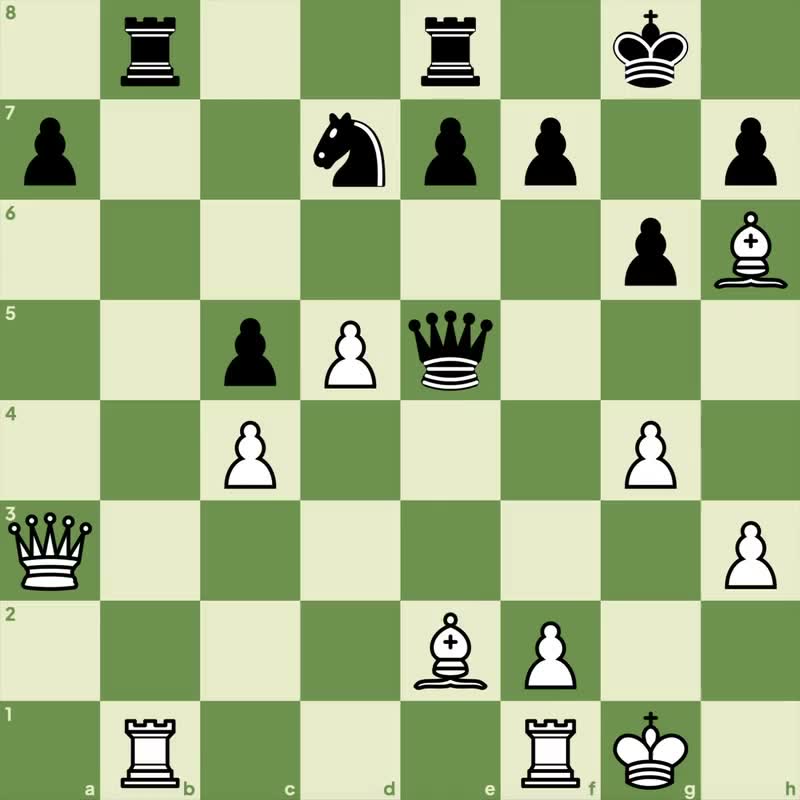
Best chess tactics tools, a toolbox sorted by the job each one does

Best chess tactics tools, for this page, means the whole kit rather than one puzzle site. Getting better at tactics is a few different jobs. You need positions to calculate, a way of bringing back the ones you got wrong, a board to check a line on, a look at the tactics you missed in your games, and now and then someone who explains a pattern properly. No single tool does all of that well, so I've sorted seven by the job each one does and when you'd reach for it. I'm a chess coach, and one of the seven is Peekchess, which I built. It's first because calculating the line is the job the others depend on, and I've been plain about what it doesn't do.
Every fact below comes from each tool's own site, help pages or user guide, checked between 18 and 26 November 2026. Prices change, so look again before you pay. For calculation training more widely, see the best calculation training tools.
What makes a chess tactics tool good for calculation
An engine is wonderful for checking a line and useless for finding one, because the moment it's on you stop calculating. So I didn't ask which tool is best overall. I asked these questions of each one.
- Which job does it do? New positions, repeating old ones, checking a line, reviewing your games or teaching a pattern.
- Do you calculate the whole line? On most tools the reply plays on the board after each move, so you can solve one move at a time. In a game nothing moves until you play, so you have to see the line first.
- Can you guess? A clock, or retries until something works, lets you guess. No clock and one wrong move ending the puzzle means you have to work it out.
- Do your misses come back? Through spaced repetition, or a set you go through again.
- What does the job cost? Some tools are free for one job and paid for the next.
Chess tactics tools by job, compared for calculation
| Tool | The job | When I'd reach for it | Whole line in your head? | Free | Paid |
|---|---|---|---|---|---|
| Peekchess | Calculating the whole line before you move | Every day, as the main session | Yes, the board stays still and moves are drawn as arrows | 10 rated puzzles a day | $7.99 a month or $59.99 once for life |
| Lichess | Free puzzles, and an analysis board to check a line | Any time, and after every game | No, the board plays each reply | Everything | Nothing to buy |
| ChessTempo | Building your own sets, with spaced repetition | When the same misses keep coming back | No, the reply plays after each move | Unlimited tactics a day from 110,000+ | Gold $4 a month |
| Disco Chess | Woodpecker-style cycles through one set | For a few weeks on one set | No, the board plays each reply | Sets up to 500 puzzles, with 5 hearts | Premium, price not on its page |
| Chess.com | Game Review of your mistakes, and re-solving failed puzzles | Right after a game you lost | No, the board plays each reply | 1 Game Review and 3 puzzles a day | Gold $6.99 a month or $49.99 a year |
| Aimchess | A report on where your games go wrong | About once a month | No, the board plays each reply | One 40-game report a month | $7.99 a month or $57.99 a year |
| Chessable | A course that explains the patterns | When one pattern keeps beating you | No, the board moves as you play the line | Dozens of free courses | Per course, or PRO |
1. Peekchess, the tool for calculating the whole line
Peekchess is a chess puzzle app that trains calculation. The board stays in view and the pieces don't move. You calculate each line in your head, so you learn to see ahead and stop blundering.
This is the job I'd put at the center of tactics training, and the rest of this toolbox leaves it out. The board stays still. The puzzle's first moves land on it as arrows, so you start from a position you're holding in your head, and then you play every move of the winning line yourself. Each move is checked as you play it, your opponent's reply is drawn as an arrow, there's no clock, and one wrong move ends the puzzle. You can't solve it one move at a time, and you can't guess. I built it out of an exercise I'd been doing by hand with my students for years, so keep that in mind as you read. There are more than 6 million puzzles, and it runs in the web browser on a computer or a phone. The free plan is 10 rated puzzles a day, and Peekchess Pro is $7.99 a month or $59.99 once for life. It has no spaced repetition, no sets you build yourself and no games to play, which is why the other six are still worth knowing.
2. Lichess, free puzzles and an analysis board to check your calculation
Lichess does two jobs here, both free for everybody, with no ads and no tracking. The first is puzzles, unlimited, and you can start without an account. The second is the one I'd use it for even if you solve somewhere else. Its board editor and analysis board come with Stockfish 19, free and unlimited, so after a puzzle you got wrong, or a line you weren't sure about, you can set the position up and check it. You also get 40 deep server analyses of your games a day, and Learn from your mistakes, which takes you back to each mistake in an analyzed game and asks you to find a better move. My one piece of advice is to say your line out loud, or write it down, before you switch the engine on. Once the arrows appear, you've stopped calculating.
- Best for
- Checking a line with an engine, and free puzzles with no account.
- Cost
- Free, every feature, for everyone. A Patron account is optional.
- Website
- lichess.org
Pros
- Board editor and analysis board with Stockfish 19, unlimited.
- Learn from your mistakes on your own analyzed games.
- Unlimited puzzles, no account needed to start.
Cons
- The board plays each reply in its puzzles, so you can solve one move at a time.
- An engine checks a line, it doesn't teach you to find one.
3. ChessTempo, a set builder with spaced repetition for the calculation you missed
ChessTempo is the tool I'd reach for once the same mistakes keep turning up. The free plan gives you unlimited tactics a day from 110,000+ problems, and Standard mode lets you take as long as you like. The paid plans are where it becomes a workshop. You build your own sets from criteria that include a rating range and your own past mistakes, and on Gold, at $4 a month, a set can run on spaced repetition. A problem you get wrong comes back five minutes later, one you get right comes back the next day, and the gap keeps growing while you keep solving it. Its user guide also describes looping sets for the Woodpecker Method, with your accuracy and time for each loop. The interface is old, though, and takes a while to learn.
- Best for
- Players who want their misses scheduled to come back, in sets they build.
- Cost
- Free, with unlimited tactics a day from 110,000+ problems. Your own sets come with the paid plans, and spaced repetition with Gold, at $4 a month.
- Website
- chesstempo.com
Pros
- Sets built from your own past mistakes.
- Spaced repetition and looping sets, with stats for each loop.
- Standard mode has no clock.
Cons
- Sets, spaced repetition and loops all need a paid plan.
- The reply plays on the board after each move.
4. Disco Chess, Woodpecker cycles to calculate one set faster each time
Disco Chess does one job, the Woodpecker one. You choose a fixed set of 100, 500 or 1,000 puzzles, solve all of it, then solve the same set again, five to seven times or more, and it tracks your speed and accuracy from cycle to cycle. Puzzles you miss go into a Mistake Review queue that brings them back after 1, 3, 7, 14 and 30 days. It runs on iPhone, iPad, Android and the web. The free plan covers sets of up to 500 puzzles, with five hearts, one lost for every mistake and a new one every five hours. Premium adds the 1,000-puzzle sets and unlimited hearts, and I couldn't find its price on the site.
If you'd rather do this on paper, the book the idea comes from, The Woodpecker Method by GMs Axel Smith and Hans Tikkanen (Quality Chess, 2018), has over 1,100 tactical puzzles, and a notebook does the tracking. Either way, by the third time through you're recognizing positions you've seen. That's useful, but calculating a line you've never seen is a different job.
5. Chess.com, Game Review for the tactics you missed, and calculation before Retry
This is the tool for straight after a game you lost. Game Review checks each move with an engine, labels the bad ones as a blunder, mistake, inaccuracy or miss, and its Retry button lets you play the move again and tells you whether you got it right. Free members get one Game Review a day, and unlimited reviews need Platinum or Diamond. To make it train calculation, name your opponent's best reply before you press Retry, not after.
Its Custom Puzzles can also serve only the puzzles you've failed before, with no time pressure and no effect on your rating. A free account gets 3 puzzles a day, and Gold, at $6.99 a month or $49.99 a year, makes them unlimited.
6. Aimchess, a monthly report on where your calculation lets you down
Aimchess is the tool I'd use to decide what to work on, rather than to do the work. It reads your recent online games, compares six parts of your play, tactics among them, with players at your rating, and gives you trainers for what it finds, among them Retry Mistakes, Blindfold Tactics and a Blunder Preventer, where you're shown two moves and have to work out which one is the blunder. The free plan has one 40-game report a month and one training session a day, and Premium is $7.99 a month or $57.99 a year. Once a month is about right, since your weak spots don't change every week.
7. Chessable, a course that explains a pattern before you calculate it
Sometimes you keep missing a pattern because nobody ever showed you how it works. That's when a course helps. Chessable's are written by strong players, with video and text explanations, and its MoveTrainer brings the positions back by spaced repetition. GM Axel Smith's two Woodpecker courses are there too. Signing up is free and there are dozens of free courses, but most cost money, one by one or through Chessable PRO. Once you know a course's answers, you're remembering rather than calculating, so I'd treat it as the place where you learn a pattern, not where you practice it.
Which chess tactics tools should you put together for calculation?
- Pick Peekchess if you want to calculate the whole line while the board stays still.
- Pick Lichess if you want a free engine to check your lines, and free puzzles with no account.
- Pick ChessTempo if you want sets built from your own mistakes, on spaced repetition.
- Pick Disco Chess if you want Woodpecker cycles tracked for you.
- Pick Chess.com if you play there and want to go over each lost game.
- Pick Aimchess if you want a monthly report on your weak spots.
- Pick Chessable if you want a pattern explained by a strong player.
If you'd rather compare whole apps than jobs, see the best chess tactics training apps. If you want one exercise to come back to every day, the best chess tactics trainer goes through a single session on each. And for positions to try right now, there are twelve in chess tactics puzzles.
Questions about chess tactics tools and calculation
If you're still choosing where to solve puzzles, here are the best chess puzzle apps in 2026.
What tools do I need to get better at chess tactics?
Three cover most of it. Something that makes you calculate whole lines, like Peekchess. A free analysis board to check your lines, like Lichess's. And a way to bring back what you got wrong, like ChessTempo's spaced repetition or Disco Chess cycles.
Is a chess tactics tool the same as a tactics trainer, website or platform?
Not quite. A tool is anything that does one job for you, an engine or a game review included. A trainer is one exercise you repeat, a website is anything you open in a browser, and a platform is the place you'd keep your account, your rating and your history.
Should I use an engine when I practice tactics?
Only after you've decided. Work the line out, say it or write it down, then check it with Stockfish on Lichess's free analysis board. If the engine is on from the start, you stop calculating.
Which tool lets me build my own tactics set?
ChessTempo, on its paid plans, from criteria such as a rating range and your own past mistakes, with spaced repetition on Gold. Chess.com's Custom Puzzles can serve only the puzzles you've failed before. Disco Chess gives you fixed sets of 100, 500 or 1,000 to go through again and again.
How do I review the tactics I missed in my games?
Lichess's Learn from your mistakes is free and unlimited once a game has been analyzed. Chess.com's Game Review gives free members one review a day, with a Retry button on the key moves. Aimchess gives you one 40-game report a month for free.
Sources for these tactics tools and their calculation
- Lichess, features, analysis board and its wording in the Lichess source code
- ChessTempo, memberships and user guide
- Disco Chess
- Chess.com, Game Review and how puzzles work
- Aimchess
- Chessable, home page and its post on the Woodpecker Method
- Peekchess pricing