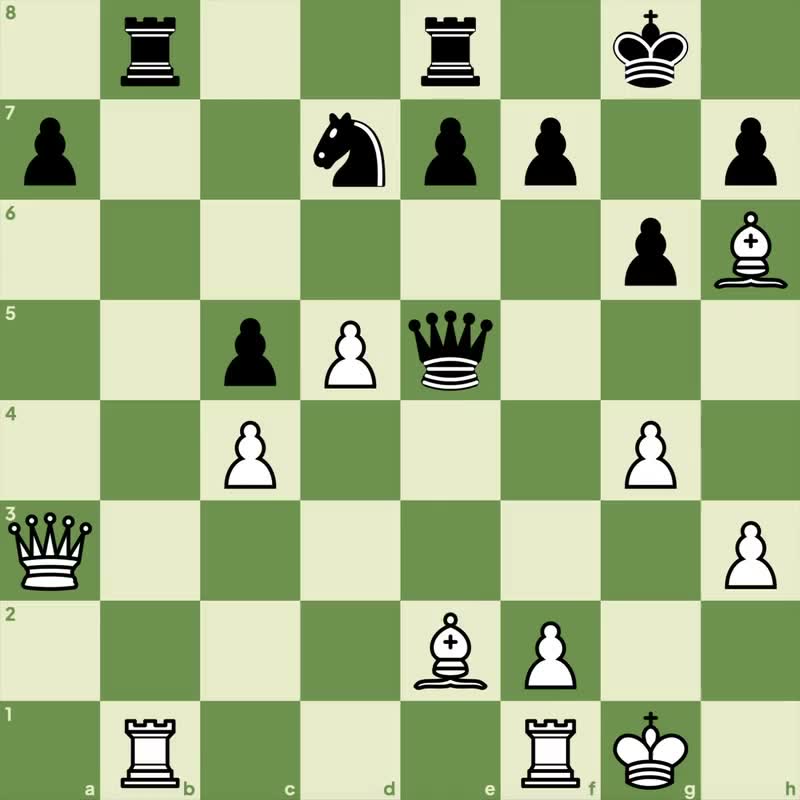
Best chess puzzle websites, six sites to solve in your browser

Best chess puzzle websites, for this page, means sites you can open in a browser and start solving straight away, with nothing to download. For each one I looked at whether it makes you calculate or lets you guess, how much you get for free, whether you have to make an account first, whether there's a daily puzzle, and whether it has a fast, rush-style mode for when you'd rather play a game than study. I'm a chess coach, and one of the six is Peekchess, which I built. I've put it first, because it's the one that makes you calculate the whole line, and I've been plain about what it doesn't do.
Everything here was checked on each site on 20 November 2026. Free limits and prices change, so have a quick look before you pay for anything.
What makes a good chess puzzle website
A website has one real advantage over an app. You can use it on any computer, at a club, at work or on a borrowed laptop, and in your phone's browser too, without installing anything. So two things decide whether a site is good. Whether it makes you calculate, and how much stands between you and your first puzzle. If you have to sign up, confirm an email and choose a plan before your first puzzle, you may never get to the puzzle. These are the questions I asked of each one.
- Does the board move for you? On most sites the reply plays on the board after each move, so you can solve one move at a time. The better ones make you calculate the whole line yourself, the way a game does.
- Can you guess? With a clock, or retries until something works, you can guess your way through. With no clock, and one wrong move ending the puzzle, you have to calculate rather than guess.
- How many puzzles are free? Some sites are unlimited, others give you a few a day.
- Do you need an account? On some you can solve straight away. On others the free plan is an account you sign up for.
- Is there a daily puzzle? One position a day is an easy habit to keep.
- Is there a rush mode? Solving against the clock is good fun, as long as it isn't all you do.
- Can you choose what you solve? Themes, difficulty or openings, so it isn't all random.
Chess puzzle websites compared
| Website | Free puzzles | Sign-up | Daily puzzle | Rush-style mode | Best for | Board moves for you? | Can you guess? |
|---|---|---|---|---|---|---|---|
| Peekchess | 10 a day, plus the daily | Free account | Yes | Survival, no clock | Seeing the whole line first | No, moves are drawn as arrows | No, no clock and one wrong move ends the puzzle |
| Lichess | Unlimited | Not needed | Yes | Storm, Racer, Streak | Free puzzles, no limits | Yes | Yes |
| ChessPuzzle.net | Yes, with ads | Only for some modes | Yes | Puzzle Climb, no clock | Puzzles from tournament games | Yes | Yes, three lives in Puzzle Climb |
| Chess.com | 3 a day | Free account | Yes | Rush, Battle | Puzzles where you play | Yes | Yes, Rush and Battle are timed |
| ChessTempo | Unlimited, from 110,000+ | Free account | None in its menus | Blitz mode | Serious practice by theme | Yes | Not in Standard mode, Blitz is timed |
| Listudy | All of them | Not for tactics | Yes | None found | Free blind tactics | In Blind Tactics you see the board from 2 moves ago | Yes |
1. Peekchess, for serious chess puzzles
Peekchess is a chess puzzle app that trains calculation. The board stays in view and the pieces don't move. You calculate each line in your head, so you learn to see ahead and stop blundering.
It's first here because it's the one site on this page that makes you calculate. The board stays still, each move of the line is drawn as an arrow and checked as you play it, there's no clock, and one wrong move ends the puzzle. So you can't solve one move at a time, and you can't guess. I built it out of an exercise I'd been doing by hand with my students for years, so read this entry with that in mind. It runs in the web browser, on a computer or a phone, with nothing to install, and it isn't in the App Store or Google Play. The free plan has 10 rated puzzles a day, plus unlimited visualization drills and a daily chess puzzle that's always free, and you need a free account to keep your progress. Survival is its rush-style mode, with no clock and 3, 5 or 10 mistakes allowed. Peekchess Pro is $7.99 a month or $59.99 once for life. There are no games to play on it, so it sits next to a site like Lichess or Chess.com rather than replacing one.
2. Lichess, free puzzles with no account and no limits
Lichess is where I'd send anyone who just wants to solve. Open lichess.org/training and a puzzle is waiting, with no account, no ads and no daily limit. Lichess says every feature is free for everyone, forever, and it's paid for by donations. If you do register, the puzzles are picked to suit your rating, and the Puzzle Dashboard keeps track of how you do in each theme.
There's plenty to choose from as well. You can pick a theme or an opening, set the difficulty from Easiest to Hardest, or switch to one of the fast modes. Puzzle Storm is against the clock, Puzzle Racer is a race against other players, and Puzzle Streak has no clock but ends at your first wrong move. And there's a Puzzle of the Day.
- Best for
- Anyone who wants to start solving straight away, for free.
- Cost
- Free, with no limits and no ads. A Patron account is optional.
- Website
- lichess.org
Pros
- No account needed to start.
- Storm, Racer and Streak for something faster.
- Themes, openings and five difficulty levels.
Cons
- Puzzles matched to your rating need a free account.
- The solution shows the moves, with no written explanation that I could find.
3. ChessPuzzle.net, puzzles picked from tournament games
ChessPuzzle.net is less well known than the big sites, and it deserves a look. Martin Bennedik, an International Correspondence Chess Master, launched it in 2016, and its puzzles are found by an algorithm in tournament games, so each one comes with the players and the event. What I like is that a puzzle can have more than one solution when the position really does. If there are two good ways to win, either one counts, and the puzzle ends once the advantage is clear rather than when there's only one move left. Each puzzle also tells you its task, whether that's to win, mate, draw or defend.
You can solve single puzzles without an account, with ads on the page, and there's a daily puzzle. The Puzzle Filter lets you choose the difficulty relative to your rating, the game phase, the task, the motif, the opening and even the player. Puzzle Climb, its rush-style mode, gives you three lives and gets harder as you go, but it has no clock, and it needs a free account. Premium removes the ads and adds Puzzle Academy, a structured course with ranks. It costs $4.99 for a month or $34.99 for a year, as one-off payments that don't renew.
4. Chess.com, a daily puzzle and Puzzle Rush in one account
Chess.com lists 500k+ puzzles, and if you play online there's a fair chance you already have an account there. That account matters here, because your puzzle rating, your streak, your history and your daily limit are all tied to it. A free account gets 3 puzzles a day, plus one Puzzle Rush and one Puzzle Battle. The Daily Puzzle is there for every member and changes at midnight your time, and you keep your streak going by solving it within 48 hours.
In Puzzle Rush you get 3 or 5 minutes, and the run ends after three mistakes. Puzzle Battle is a 3-minute rush against another player, and Survival is a rush with no clock. Gold, at $6.99 a month or $49.99 a year, makes all of it unlimited.
- Best for
- Players who already play on Chess.com and want a daily puzzle and Rush there.
- Cost
- A free account gets 3 puzzles a day, plus one Rush and one Battle. Gold is $6.99 a month, or $49.99 a year.
- Website
- chess.com
Pros
- A Daily Puzzle and a streak to keep.
- Rush, Battle and Survival.
- 500k+ puzzles.
Cons
- You need an account, and the free one runs out fast.
- Most of it is unlimited only on a paid plan.
5. ChessTempo, unlimited free puzzles for serious practice
ChessTempo is the most serious of the free sites. Its free plan gives you unlimited tactics a day from 110,000+ problems, out of 350k+ in all, and lets you train one theme at a time with a rating for each. The free plan is an account you sign up for, so do that first. You choose easy, medium or hard, which sets how far below your rating the problems sit, or puts them right at it. There's no daily puzzle in its menus, and instead of a rush mode it has Blitz, where the time you take counts toward your rating, while Standard mode lets you take as long as you like.
It's more than a puzzle site, with a game database, endgame practice and opening training on the same account. The interface takes some getting used to, and the deeper features, like building your own problem sets, are on the paid plans, with Gold at $4 a month. I go through those in the best chess puzzle trainer.
- Best for
- Players who want unlimited free puzzles and a rating for every theme.
- Cost
- Free, with unlimited tactics a day from 110,000+ problems. Gold is $4 a month.
- Website
- chesstempo.com
Pros
- Unlimited free puzzles.
- A rating for each theme.
- Standard and Blitz modes.
Cons
- No daily puzzle that I could find.
- It takes a while to find your way around.
6. Listudy, free blind tactics with no sign-up
Listudy is small, free and open source, and you can solve its tactics without an account. It has thousands of positions from real games, sorted by motif, and a daily puzzle. The reason to go there, though, is Blind Tactics. You see the board as it was two moves earlier, with the moves since listed beside it, and you have to picture the position before you solve it. Pieceless Tactics go a step further and give you only a list of where the pieces stand. I couldn't find a rush mode, and your progress shows up as achievements rather than a rating.
- Best for
- Free visualization practice, straight away in the browser.
- Cost
- Free and open source.
- Website
- listudy.org
Pros
- No account needed for tactics.
- Blind and pieceless tactics.
- A daily puzzle.
Cons
- Thousands of puzzles, rather than hundreds of thousands.
- No rating or history of your results that I could find.
Which chess puzzle website should you use?
- Pick Peekchess if you want to work out the whole line while the board stays still.
- Pick Lichess if you want unlimited free puzzles with no account.
- Pick ChessPuzzle.net if you want puzzles from tournament games that accept more than one good answer.
- Pick Chess.com if you play there and want the Daily Puzzle and Puzzle Rush.
- Pick ChessTempo if you want unlimited free practice with a rating for each theme.
- Pick Listudy if you want free blind tactics.
If you're new to puzzles, chess puzzles for beginners has easy positions with the answers explained. If you'd rather use an app, see the best chess puzzle apps, and for the two biggest sites side by side, Lichess vs Chess.com.
Questions about chess puzzle websites
Read next. Best chess puzzle trainer, Best Alternatives to Lichess Puzzles and Free Chess Calculation Trainer.
Which chess puzzle website doesn't need an account?
Lichess. You can open its puzzles and start solving with no account, and it's free with no ads. Listudy's tactics and the single puzzles on ChessPuzzle.net work without one too.
Where can I solve a daily chess puzzle?
Peekchess, Lichess, Chess.com, ChessPuzzle.net and Listudy all have one. On Chess.com it changes at midnight your time, and solving it within 48 hours keeps your streak going.
Is there a free version of Puzzle Rush?
Lichess's Puzzle Storm is the closest, a timed run of puzzles that's free and unlimited. Chess.com itself gives free accounts one Puzzle Rush a day.
Do I need to download anything to solve chess puzzles?
No. Every site on this page works in a web browser, on a computer or a phone. Lichess and Chess.com also have apps if you want them, but you don't need them.
What is the best chess puzzle website for serious practice?
For calculation, Peekchess. The board stays still, there's no clock, and one wrong move ends the puzzle, so you can't guess your way through. For unlimited practice by theme, ChessTempo. Its free plan is unlimited, you can train one theme at a time with a rating for each, and Standard mode gives you as long as you like on every problem.
Sources for this comparison
- Lichess, puzzles, features and its puzzle wording in the Lichess source code
- ChessPuzzle.net, home page, Premium, about and why its puzzles are different
- Chess.com, how puzzles work
- ChessTempo, home page, memberships and user guide
- Listudy, home page and its daily puzzle
- Peekchess pricing