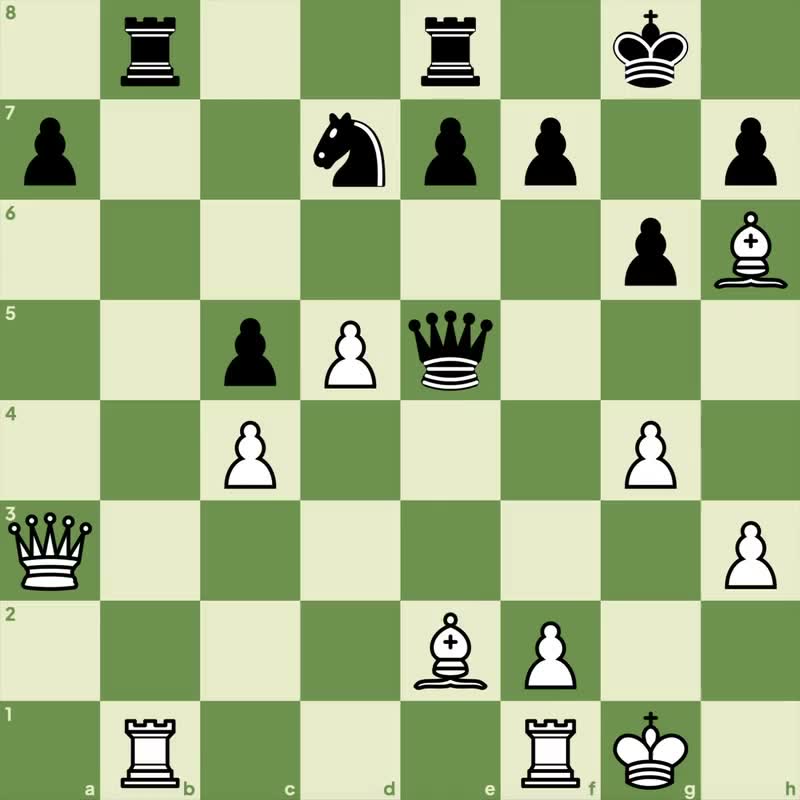
Best chess puzzle trainer, eight tools compared by how they train

Best chess puzzle trainer is a different question from best puzzle app, and I think it helps to keep the two apart. Almost every site will give you puzzles. What changes from one tool to the next is how you solve them and what happens around them. Does the board move for you, or do you calculate the whole line yourself? Can you guess your way through? Do the puzzles you got wrong come back? Can you pick a theme and stay on it? Can you build your own set and go through it again? And can you see whether you're actually getting better? That's what this page compares. I'm a chess coach, and one of the eight tools here is Peekchess, which I built. I've put it first, because it's the one that makes you calculate the whole line, and I've been plain about what it doesn't do.
Every feature below comes from each tool's own site, help pages or user guide, checked on 20 November 2026. Prices change, so check again before you pay.
What a good chess puzzle trainer does for you
When I look at a training tool, the size of the library is the last thing I check. Every serious one has more puzzles than you'll ever solve. What I want to know first is whether it makes you calculate. After that, how it decides what you see next, and what it does with your mistakes. These are the questions that answer that.
- Does the board move for you? On most puzzle tools the reply plays on the board after each move, so you can solve one move at a time. The better ones make you calculate the whole line yourself, the way a game does.
- Can you guess? With a clock, or retries until something works, you can guess your way through. With no clock, and one wrong move ending the puzzle, you have to calculate rather than guess. A clock still has its place for speed, just not for this.
- Spaced repetition. A puzzle you miss comes back after a short gap, then after longer and longer ones as you keep getting it right.
- Themes. Forks, pins, back-rank mates and so on, one at a time, so you can work on a weakness instead of waiting for it to turn up.
- Difficulty that follows your rating. Too easy and you stop thinking. Too hard and you start guessing.
- Custom sets. Your own collection, picked by theme, rating or past mistakes.
- Repeat cycles. The same set solved again and again, faster each time, which is the idea behind the Woodpecker Method.
- Progress tracking. A rating, stats by theme or at least a history, so you know where you stand.
No tool does all of this equally well, and you don't need all of it. If you can find a tactic in a puzzle but miss it in your games, calculating the whole line will do more for you than any of the rest. If you keep missing the same few patterns, themes and spaced repetition help most.
Training features at a glance
| Tool | Board moves for you? | Can you guess? | Spaced repetition | Themes | Custom sets | Repeat cycles | Tracks progress |
|---|---|---|---|---|---|---|---|
| Peekchess | No, moves are drawn as arrows | No, no clock and one wrong move ends the puzzle | No | Patterns and openings | No | No | Rating, stats, report |
| ChessTempo | Yes | Not in Standard mode, Blitz is timed | Yes, on Gold | Yes, each with a rating | Yes, on paid plans | Yes, looping sets | Ratings, motif stats, loops |
| Chessable | Yes | The line comes back until you remember it | Yes, MoveTrainer | By course | The course is the set | Woodpecker courses | Course stats |
| Disco Chess | Yes | Sets get faster each cycle | Yes, for misses | 18 themes | Fixed sets of 100 to 1,000 | Built around them | Cycles and analytics |
| Lichess | Yes | Yes | No, but misses replay | Yes, and by opening | None | None built in | Puzzle dashboard |
| Chess.com | Yes | Yes, Rush and Battle are timed | None found | Yes, in Custom Puzzles | Themes, rating, misses | None built in | Puzzle rating and stats |
| CT-ART 20 | Yes | Hints on the harder ones | None listed | Courses by level | A fixed course | None listed | Synced across devices |
| Listudy | In Blind Tactics you see the board from 2 moves ago | Yes | For openings | By motif | Opening studies | None built in | Achievements |
Timed or untimed, and how each one sets the difficulty
A clock changes what you're training. With one, you learn to spot patterns quickly, which is useful in blitz. Without one, you have time to work out the whole line and your opponent's best reply, which is closer to what a slower game asks of you. I'd do most of my training without the clock and treat the timed modes as a game. The other half of this is difficulty, and the tools handle it in different ways.
| Tool | No clock | Against the clock | Difficulty |
|---|---|---|---|
| Peekchess | Puzzles, Survival | Some drills | Your rating and how far you see |
| ChessTempo | Standard mode | Blitz mode | Easy, medium or hard, by your rating |
| Lichess | Puzzles, Streak | Storm, Racer | Five levels around your rating |
| Chess.com | Custom, Survival | Rush, Battle | A rating range, in Custom |
1. Peekchess, for serious chess puzzles
Peekchess is a chess puzzle app that trains calculation. The board stays in view and the pieces don't move. You calculate each line in your head, so you learn to see ahead and stop blundering.
I built it out of an exercise I'd been doing by hand with my students for years, so read this entry with that in mind. It's first here because it's the one tool on this page that makes you calculate. The board stays still, each move of the line is drawn as an arrow and checked as you play it, the puzzles and Survival have no clock, and one wrong move ends the puzzle. So you can't solve one move at a time, and you can't guess. Around that, you can pick puzzles by pattern or by the openings you play, the puzzles follow your rating and how far ahead you can already see, and you get a puzzle rating, detailed stats and a free report. What it doesn't have is spaced repetition, sets of your own or Woodpecker-style loops, so if repetition is the heart of your training, use ChessTempo or Disco Chess alongside it. It's free for 10 rated puzzles a day, and Peekchess Pro is $7.99 a month or $59.99 once for life.
2. ChessTempo, the most complete chess puzzle trainer
If I had to choose one tool purely on training features, it would be ChessTempo. It has 350k+ tactics, and the free plan already does a lot. You can solve as many as you like from 110,000+ of them, train one theme at a time with a separate rating for each, and see how you perform motif by motif. You also set the difficulty. On the default setting the problems average about 100 points below your rating, and on hard they sit at your rating.
The paid plans are where it pulls ahead of everything else here. You can build your own problem sets from a long list of criteria, including a rating range and your own past mistakes. On Gold, which is $4 a month, a set can run on spaced repetition. Get a problem wrong and it comes back in five minutes, get it right and it comes back the next day, and after that the gap keeps growing as long as you keep solving it. Its user guide also describes sorted, looping sets for the Woodpecker Method, with your accuracy and time shown for each loop. For the clock, Standard mode lets you take as long as you like, and in Blitz mode the time you take counts toward your rating.
- Best for
- Players who want spaced repetition, their own problem sets and Woodpecker loops in one place.
- Cost
- Free, with unlimited tactics a day from 110,000+ problems. Your own sets come with the paid plans, and spaced repetition with Gold, at $4 a month.
- Website
- chesstempo.com
Pros
- A separate rating for every theme you train.
- Spaced repetition and looping sets, with stats for each loop.
- Standard and Blitz modes, so you can train with or without the clock.
Cons
- Your own sets, spaced repetition and loops all need a paid plan.
- The interface looks old and takes a while to learn.
3. Chessable, spaced repetition built into every course
Chessable works differently from the rest. Instead of an open pool of puzzles, you take a course, and its MoveTrainer brings the positions back by spaced repetition, so the ones you miss come round sooner than the ones you know. Chessable says it handles the stats and progress tracking for you. For puzzle training that means the course is your set. You don't choose themes from a pool, you follow the author's chapters.
It's also the most direct way to do the Woodpecker Method with a guide. GM Axel Smith's two Woodpecker courses are on Chessable, one on tactics and one on positional play, and Chessable says that between them they hold 2,000 tactical and positional patterns. Signing up is free and there are dozens of free courses, but most courses cost money, either one by one or through Chessable PRO.
- Best for
- Players who want a strong player's course, with spaced repetition doing the scheduling.
- Cost
- Free to sign up, with dozens of free courses. Most courses are paid, one by one or through Chessable PRO.
- Website
- chessable.com
Pros
- Spaced repetition on every course.
- The Woodpecker Method courses by GM Axel Smith.
- Explanations from the author, in video and text.
Cons
- You train a course's positions, not a set you build.
- Most courses cost money.
- Once you know a course well, you're recalling answers more than solving.
4. Disco Chess, for Woodpecker cycles without the spreadsheet
Disco Chess is the tool here that's most openly built on the Woodpecker idea. You pick a fixed set of 100, 500 or 1,000 puzzles, solve all of it, and then solve the same set again, five to seven times or more. It tracks your speed and accuracy from one cycle to the next, so you don't need a spreadsheet and a stopwatch to see whether you're getting faster. Puzzles you get wrong go into a Mistake Review queue that brings them back after 1, 3, 7, 14 and 30 days, which is spaced repetition for your misses.
It has 18 tactical themes and 5 difficulty levels, and it runs on iPhone, Android and in the browser, with your progress synced between them. It's free with sets of up to 500 puzzles, but you get five hearts, lose one for each mistake and get a new one every five hours. Premium adds the 1,000-puzzle sets and unlimited hearts, and I couldn't find its price on the site. It also says plainly that it has no connection with Chessable or Quality Chess.
5. Lichess, free themes, difficulty levels and a puzzle dashboard
Lichess is the best free tool for training by theme. Everything is free and unlimited, with no ads. You can pick a theme from its long list or train the openings you play, and set the difficulty anywhere from Easiest to Hardest, which moves the puzzles a set number of points below or above your puzzle rating. You can solve without an account, but you need a free one for puzzles matched to your rating.
Its Puzzle Dashboard shows your improvement areas and strengths theme by theme, your puzzle history and the puzzles you got wrong, which you can replay. That isn't spaced repetition, because nothing schedules them for you, and there's no way to build your own set or loop through one. For the clock you have a choice. Ordinary puzzles and Puzzle Streak have no clock, Puzzle Storm is against it, and Puzzle Racer is a race against other players.
- Best for
- Free training by theme, with the difficulty set by you.
- Cost
- Free, every feature, for everyone. A Patron account is optional.
- Website
- lichess.org
Pros
- Unlimited puzzles by theme or by opening.
- Five difficulty levels around your rating.
- A dashboard of your weak themes and your strengths.
Cons
- No spaced repetition and no sets of your own.
- Puzzles matched to your rating need a free account.
6. Chess.com, Custom Puzzles in the account you play on
Chess.com's main training feature is Custom Puzzles. You choose the themes and a rating range, and you can include every puzzle or only the ones you've failed before, with no time pressure and no effect on your rating. A side panel shows what share of each puzzle type you've solved. Around that you have rated puzzles, with a puzzle rating and a stats panel after each one, Puzzle Rush against a 3 or 5 minute clock, Survival with no clock, and Puzzle Battle against another player.
The limit is the free account, which gets 3 puzzles a day plus one Rush and one Battle. Gold makes them unlimited, at $6.99 a month or $49.99 a year. Re-solving your failed puzzles in Custom gets you part of the way to repetition, but I couldn't find spaced repetition or a way to loop through a set.
- Best for
- Players who already play on Chess.com and want to drill a theme there.
- Cost
- A free account gets 3 puzzles a day, plus one Rush and one Battle. Gold is $6.99 a month, or $49.99 a year.
- Website
- chess.com
Pros
- Custom Puzzles by theme, rating range and past misses.
- Timed and untimed modes side by side.
- Stats after every rated puzzle.
Cons
- 3 puzzles a day on a free account.
- No spaced repetition that I could find.
7. CT-ART 20, one big tactics course in nine levels
CT-ART is Chess King's long-running tactics series, and CT-ART 20 puts 20 tactics and defence courses into one package, with over 20,000 exercises in nine levels for ratings from 200 up to 2400. It's a course rather than a pool, so you work your way up through the levels instead of picking a theme or building a set. Some levels give you hints, one of them a small 5x5 diagram that shows the idea. Your progress syncs between devices, and it runs in the browser on a computer as well as on iPhone and Android. You pay once, from $84.99, and keep it. Its page doesn't mention spaced repetition, and it doesn't list a free version.
- Best for
- Players who want one fixed path through tactics, paid for once.
- Cost
- From $84.99, paid once, with lifetime use. No free version is listed.
- Website
- chesskingtraining.com
Pros
- Over 20,000 exercises in nine levels.
- Hints on some levels.
- Progress synced across browser, computer and phone.
Cons
- No themes to pick and no sets to build.
- No spaced repetition on its page.
8. Listudy, free spaced repetition and tactics by motif
Listudy is a small site, free and open source, and spaced repetition is the idea it's built on. You see that most clearly with openings, where you add your repertoire as a study and play against it until it sticks. Creating a study needs a free account. For tactics it has thousands of positions from real games, which you can browse by motif and solve without signing in, plus a daily puzzle, Blind Tactics, where the board is shown as it was two moves earlier, and Pieceless Tactics. Your progress shows up as achievements, and I found no history of your results.
- Best for
- Free spaced repetition for openings, with tactics and blind tactics alongside.
- Cost
- Free and open source.
- Website
- listudy.org
Pros
- Spaced repetition for your openings.
- Tactics by motif, and a daily puzzle.
- Blind and pieceless tactics.
Cons
- Its make-your-own tool makes one tactic, not a set.
- No rating or history of your results that I could find.
Which chess puzzle tool should you choose?
- Pick Peekchess if you want to calculate each line in full while the board stays still.
- Pick ChessTempo if you want spaced repetition and your own sets, and don't mind paying for Gold.
- Pick Chessable if you'd rather follow a course, the Woodpecker Method included.
- Pick Disco Chess if you want Woodpecker cycles tracked for you.
- Pick Lichess if you want to train by theme for free.
- Pick Chess.com if you play there and want to drill your misses by theme.
- Pick CT-ART 20 if you want one fixed course that you pay for once.
- Pick Listudy if you want free spaced repetition for openings, with tactics alongside.
Whichever you choose, I'd care about two things most. That it makes you calculate the whole line rather than guess, and that it brings your mistakes back. Solving lots of new puzzles feels like progress, but the ones you got wrong are the patterns you're most likely to miss again in a game. And tactics are worth the time. In our study of 50,000 lost games, 61 of every 100 were lost to a tactic and 2 to the opening.
For a wider list of places to solve, see the best chess puzzle apps and the best chess puzzle websites.
Questions about chess puzzle trainers
Read next. Best chess puzzle websites, Does the Woodpecker Method train calculation? and Best Chess Tactics Training Apps 2026.
What is the best chess puzzle trainer?
It depends on the feature you need most. To calculate the whole line while the board stays still, with no clock and no guessing, Peekchess. For spaced repetition and your own problem sets, ChessTempo. For a guided course with spaced repetition, Chessable. For Woodpecker cycles tracked for you, Disco Chess. For free training by theme, Lichess.
Which chess puzzle trainer uses spaced repetition?
ChessTempo, on its Gold plan, for problem sets you build. Chessable, on every course, through its MoveTrainer. Disco Chess, for the puzzles you get wrong, which come back after 1, 3, 7, 14 and 30 days. Listudy uses it for openings, for free.
How can I do the Woodpecker Method online?
There are three easy ways. ChessTempo lets paid members build a sorted, looping set and shows stats for each loop. Chessable has GM Axel Smith's Woodpecker courses. Disco Chess is built around fixed sets that you solve in cycles, with your speed and accuracy tracked each time.
Can I train chess puzzles by theme for free?
Yes. Lichess lets you pick a theme or an opening and set the difficulty, all for free. ChessTempo's free plan lets you solve by theme with a rating for each one, and Listudy sorts its tactics by motif.
Should I solve chess puzzles with a clock or without?
Mostly without. A clock trains pattern speed, which helps in fast games, but it also rewards the first move that looks right. Without one you have time to work out the whole line and your opponent's best reply. Peekchess's puzzles and Survival, ChessTempo's Standard mode, Lichess's ordinary puzzles and Puzzle Streak, and Chess.com's Custom Puzzles all have no clock.
Sources for this comparison
- ChessTempo, home page, memberships and user guide
- Chessable, home page and its post on the Woodpecker Method
- Disco Chess
- Lichess, puzzles, features and its puzzle wording in the Lichess source code
- Chess.com, how puzzles work
- Chess King CT-ART 20
- Listudy
- Peekchess pricing