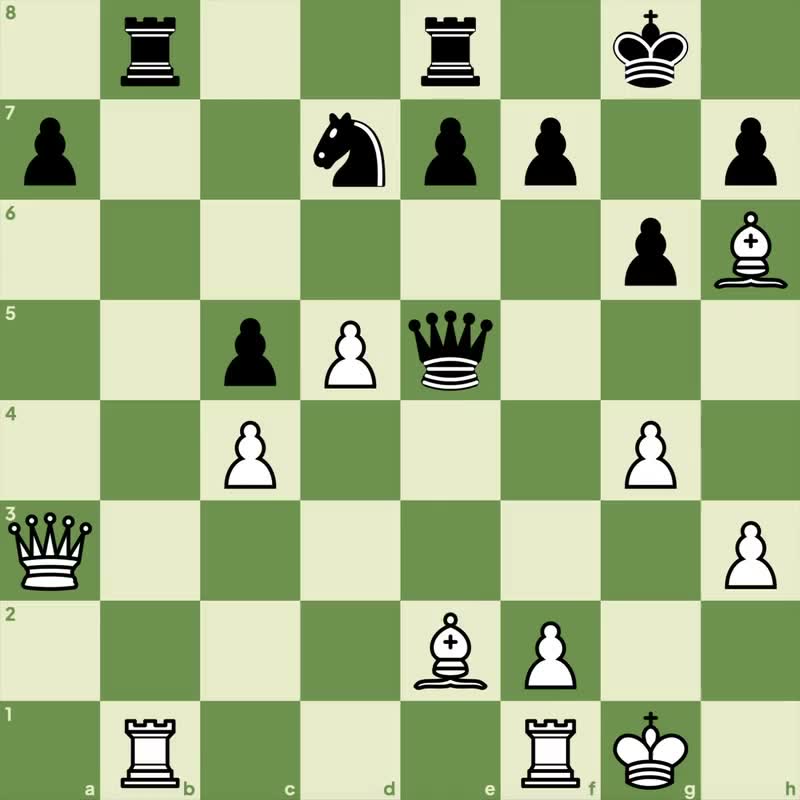
Best Chess Calculation Training Apps 2026

Best chess calculation training apps in 2026 for tactics, visualization and candidate moves should make you hold the position in your head while you work out the line. Most puzzle apps don't, because the board plays each move for you. Here are nine, who each one suits and what it costs. I've coached players for years. For the others, I say plainly what each does better.
Every fact and price comes from each app's own site, checked in October and November 2026. Prices change, so look before you pay.
Best chess calculation training apps 2026 for tactics, visualization and candidate moves, at a glance
| App | Best for | Board moves for you? | Can you guess? | Free | Paid |
|---|---|---|---|---|---|
| Peekchess | Serious chess calculation | No, moves are drawn as arrows | No, no clock and one wrong move ends the puzzle | 10 a day, plus unlimited visualization drills | $7.99 a month or $59.99 once for life |
| Chess.com | Puzzles beside your games | Yes | Yes, Rush and Battle are timed | 3 puzzles a day, 1 Rush, 1 Battle | Gold from $6.99 a month, or $49.99 a year |
| ChessTempo | Rated tactics by theme | Yes | Not in Standard mode, Blitz is timed | Unlimited tactics a day | Gold from $4 a month |
| Lichess | Free puzzles with no limits | Yes | Yes | Everything | Nothing to buy |
| Chessable | Courses by strong players | Yes | The line comes back until you remember it | Dozens of courses | Per course, or PRO |
| Listudy | Free blind tactics | You see the board from 2 moves ago | Yes | Everything | No paid plan listed |
| Aimchess | Weak spots in your games | Yes, except Blindfold Tactics | Yes | 1 report a month, 1 session a day | $7.99 a month or $57.99 a year |
| Chess King CT-ART 20 | A big tactics course you own | Yes | Hints on the harder ones | No free version listed | From $84.99, paid once |
| StreakChess | A 3-a-day habit | Yes | Yes, a clock of 30 s to 10 min a puzzle | Free for now | No price listed |
- Best for serious chess calculation. Peekchess, where the pieces never move, every move comes in as an arrow, and Stockfish checks each one as you play it, so you calculate the complete line, not just the first move.
- Best for puzzles beside your games. Chess.com, with 3 free puzzles a day.
- Best for rated tactics by theme. ChessTempo, with unlimited free tactics a day.
- Best for free puzzles with no limits. Lichess, where every feature is free.
- Best for courses by strong players. Chessable, with spaced repetition.
- Best for free blind tactics. Listudy, which shows the board from 2 moves ago.
- Best for weak spots in your games. Aimchess, with a report on your games.
- Best for a big tactics course you own. Chess King CT-ART 20, paid once.
- Best for a 3-a-day habit. StreakChess, free for now.
1. Peekchess for calculation with the board still
Before Peekchess existed, I was already doing this by hand in my lessons. I drew the moves as arrows on a shared screen and left the pieces where they were. With lower-rated players I kept it to a few moves at a time. Stronger players calculated much deeper. Peekchess is that same exercise, built into an app.
Peekchess is a chess puzzle app that trains calculation, with more than 6 million chess puzzles. The board stays still. You play each move and it is checked as you go, each move is drawn as an arrow, and the new position exists only in your head, as it does in a game. One wrong move ends the puzzle. Peek AI explains every move. Full calculation mode takes one position through four steps (tactic, candidate moves, calculation, evaluation). You can calculate just the main line or the whole calculation tree, and every line is checked at the end.
- Best for
- Players who solve puzzles well but miss tactics in games.
- Cost
- The free plan gives you 10 rated puzzles a day, plus unlimited visualization drills and the daily puzzle. Peekchess Pro is $7.99 a month or $59.99 once for life, with 7 days free on the monthly plan.
- Website
- peekchess.com
Pros
- The board stays still, so you hold every new position in your head.
- A daily lesson of ten puzzles, five aimed at what you keep missing and five from the openings you play.
Cons
- It's slower than tapping out moves.
- The free plan stops at 10 rated puzzles a day.
- There are no games against people, and no courses by named authors.
2. Chess.com for puzzles beside your games, and how it trains calculation
Chess.com lists 500k+ puzzles, with rated puzzles, Puzzle Rush, Puzzle Battle, Custom Puzzles by theme and a Daily Puzzle. The problem for calculation is that the board plays each reply. You find a move, the position changes in front of you, and you look again, so you rarely hold a new position in your head.
- Best for
- Players who already play on Chess.com.
- Cost
- A free account gets 3 puzzles a day, plus one Puzzle Rush and one Puzzle Battle. A paid membership makes them unlimited, and Gold is $6.99 a month, or $49.99 a year.
- Website
- chess.com
Pros
- 500k+ puzzles, with a puzzle rating.
- For games, lessons and puzzles in one account, it beats Peekchess.
Cons
- A free account stops at 3 puzzles a day.
- The board plays each reply, so it trains the first move more than the whole line.
3. ChessTempo for rated tactics by theme, and how it trains calculation
My one complaint about ChessTempo is the interface. It looks and feels outdated next to the newer apps, and that can put you off before you get to the good part.
ChessTempo is one of the oldest tactics sites, with 350k+ tactics, a tactics rating, a separate rating for each theme and stats by motif, so you can see where you're weak. For calculation it works like most puzzle sites. The reply plays on the board after each move, so you can solve one move at a time without seeing the whole line. Our ChessTempo comparison goes deeper.
- Best for
- Players who want unlimited free tactics, and custom problem sets if they pay.
- Cost
- Free, with unlimited tactics a day from 110,000+ problems. Gold, with spaced repetition, is $4 a month.
- Website
- chesstempo.com
Pros
- You get a rating for each theme you train.
- For free volume it beats Peekchess, with no daily limit.
- Paid plans add custom problem sets and spaced repetition.
Cons
- The reply plays on the board after each move.
- I couldn't find written explanations, just the solution, user comments and engine lines.
4. Lichess for free calculation practice with no limits
Lichess is free and open source, it has no ads, and every feature is free for everybody. Its puzzles come from games played on Lichess, checked by Stockfish, rated and tagged by theme. The board plays each reply here too, so for calculation, pick the long and very long themes and see the whole line before your first move.
- Best for
- Anyone who wants unlimited puzzles at no cost.
- Cost
- Every feature is free for everyone. A Patron account is optional, if you want to support it.
- Website
- lichess.org
Pros
- Unlimited rated puzzles and no ads.
- It beats Peekchess on price, and there's no daily limit.
Cons
- The board plays each reply.
- Storm and Racer, its timed modes, reward speed more than calculation.
StreakChess, a smaller calculation app
StreakChess is free for now and built around a habit. You get 3 puzzles a day, and if you miss a day your streak resets. Each puzzle comes at one of three paces, 30 seconds, 3 minutes, or 10 minutes for deep calculation. A fixed 3 a day is easy to keep up in a busy week.
5. Chessable for calculation courses by strong players
Chessable has over 1,000 courses, explained by strong players and coaches, and its MoveTrainer keeps bringing positions back with spaced repetition. For calculation, pick one calculation course and actually finish it. Just keep in mind that once you know a course's answers, you are remembering more than calculating.
- Best for
- Players who like a teacher and a set order.
- Cost
- Signing up is free and there are dozens of free courses. Most courses are paid, either one by one or through Chessable PRO.
- Website
- chessable.com
Pros
- Spaced repetition helps what you learn stick.
- For a structured course with a human author, it beats Peekchess.
Cons
- Each course is a fixed set of positions.
- Most courses cost money.
6. Listudy for free blind tactics and calculation
Listudy is free and open source, and its Blind Tactics are a clever bit of visualization training. You see the board from 2 moves ago, with the moves since then listed beside it, so you have to build the current position in your head before you can look for the tactic. You choose how many plies stay hidden, so you can make it harder as you improve.
- Best for
- Free visualization and calculation practice.
- Cost
- Free and open source.
- Website
- listudy.org
Pros
- For pure visualization at no cost, it's better than Peekchess.
Cons
- It has thousands of tactics from real games, not millions.
7. Aimchess for finding where your calculation breaks in games
Aimchess works the other way round from most apps here. It reads your recent online games and measures six areas of your play against players at your rating, tactics and time management among them. For calculation, try Blindfold Tactics, Practice Visualization and the Blunder Preventer, where you pick which of two moves is the blunder.
- Best for
- Online players who want a report on their games, then drills.
- Cost
- On the free plan you get one 40-game report a month and one training session a day. Premium is $7.99 a month, or $57.99 a year.
- Website
- aimchess.com
Pros
- If you want to see six areas of your play side by side, it's better than Peekchess.
Cons
- It needs your online games.
- Calculation is just one of the six areas.
8. Chess King CT-ART for a big tactics course, and how it trains calculation
CT-ART 20 is a Chess King Learn course with over 20,000 tactics exercises across 20 courses. You buy it once and keep it for good, which suits players who want one large, fixed set to work through. To get calculation out of it, treat each exercise as if the board were still, and find the whole line in your head before you play the first move.
- Best for
- Players who want a big, fixed tactics course they own for good.
- Cost
- You pay once for lifetime use. It was listed from $84.99 on 13 November 2026.
- Website
- chesskingtraining.com
Pros
- Over 20,000 exercises across 20 courses.
- Pay once, keep it for good.
- Web, Mac and PC, iPhone and Android.
Cons
- You pay more up front than a month of most other apps.
- Its page doesn't list a free version of CT-ART 20.
The best free chess calculation training
If you don't want to pay, start here. Peekchess makes you calculate on every free puzzle. On Lichess and ChessTempo the calculation is up to you, so don't play the first move until you have the whole line.
- Peekchess. Free for 10 rated puzzles a day, with no limit on its calculation drills.
- Lichess. Puzzles are unlimited and free.
- ChessTempo. The free plan is unlimited too.
- Listudy. The best free way to practice holding a position in your head.
- StreakChess. Free for now.
How we chose these calculation apps
I started with the apps players ask about most and added a newer one built for calculation. Then I asked each the same seven questions.
- 1Do the pieces stay still? If the board plays each move, the app holds the position for you, and that's your job in a game.
- 2Can you guess? With a clock, or retries until something works, you can guess your way through a puzzle. With no clock, and one wrong move ending the puzzle, you have to calculate rather than guess.
- 3Are the lines longer than one move? Calculation really starts at the second move.
- 4Does it make you meet the reply? The question I repeat most in lessons is “what does your opponent want?”
- 5Does it explain the why? “The engine says so” doesn't teach you anything.
- 6Is it at your level? Too easy and you learn nothing, too hard and you learn to guess.
- 7Will you do it daily? Ten minutes a day does more than a course you never finish.
The steps to follow at the board are in how to calculate in chess.
Questions about chess calculation training apps
Read next. Free Chess Calculation Trainer, Best Chess Calculation Training Tools and Chess Calculation Training App Without Moving Pieces.
What is the best app to train chess calculation?
For calculation itself, Peekchess. The pieces never move, there's no clock and one wrong move ends the puzzle, so you have to see the whole line. For unlimited free puzzles it's Lichess, ChessTempo for rated tactics by theme and Chessable for a course.
Is there a free chess calculation trainer?
Yes. Peekchess is free for 10 rated puzzles a day, and its visualization drills are unlimited. Lichess is free for everyone, with no ads and no limits, and ChessTempo's free plan gives you unlimited tactics a day. Listudy is free too, with blind tactics.
Why can I solve puzzles but not calculate in my games?
On most puzzle sites the board plays each reply, so you never have to hold the new position in your head. In a game nothing moves until you play. Train on a board that stays still, and say the whole line to yourself before your first move.